
Control Mobile in Your Thumb in Spatial Touch App
Introduction
Imagine controlling your phone without even touching the screen—just a flick of your thumb or a simple hand gesture, and everything responds instantly. Sounds futuristic, right? Well, that future is already here with the spatial touch app.
Whether you’re lying on the couch, cooking with messy hands, or multitasking, this innovative app lets you control your mobile right from your thumb—effortlessly and intelligently. Let’s break down how it works and why it’s becoming a game-changer in mobile interaction.
What Is the Spatial Touch App?
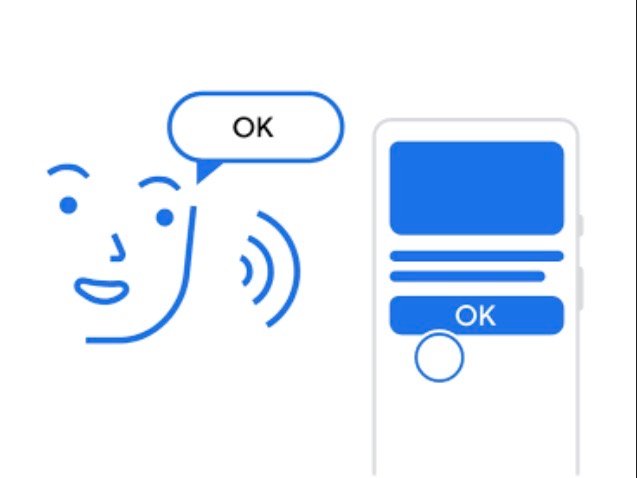
The spatial touch app is an AI-powered mobile application that allows users to control their smartphones using air gestures instead of physical touch.
Instead of tapping your screen, the app uses your phone’s camera to detect hand and thumb movements. This means you can:
- Play or pause videos
- Scroll through content
- Adjust volume
- Navigate apps
—all without physically touching your device.
How Does It Work?
AI + Camera = Touchless Control
At its core, Spatial Touch uses advanced gesture recognition technology. Your phone’s camera tracks your hand movements and translates them into commands.
Thumb-Based Micro Gestures
While full-hand gestures are supported, the real magic lies in thumb control:
- Small thumb flick → Skip video
- Thumb hold → Pause/play
- Thumb swipe → Scroll
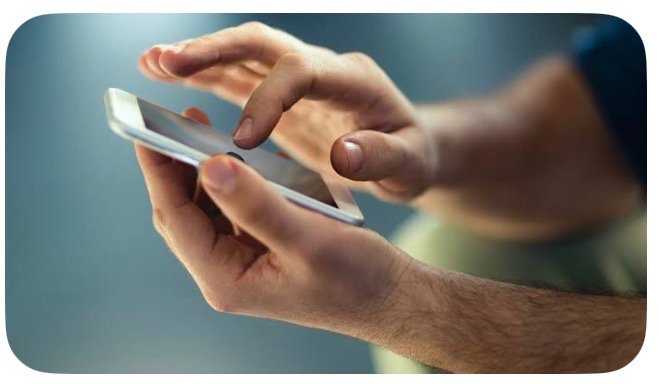
This “control mobile in your thumb” experience makes interaction faster and more natural.
Key Features of Spatial Touch App
1. Air Gesture Control
Control your phone from a distance without touching it. Perfect when your hands are dirty or busy.
2. Remote Operation
You can operate your device from up to 2–3 meters away, making it feel like a remote control for your phone.
3. Smart Gesture Recognition
The app minimizes accidental gestures using intelligent filters, ensuring accuracy and smooth performance.
4. Auto Background Activation
Once installed, the app runs automatically when supported apps (like video or social media apps) are opened.
5. Privacy-Focused Design
All gesture processing happens directly on your device—no images or videos are stored or shared externally.
Supported Apps and Use Cases
Spatial Touch works seamlessly with popular platforms like:
- YouTube & Shorts
- Instagram & Reels
- TikTok
- Netflix & streaming apps
Real-Life Example
Picture this:
You’re cooking, hands covered in flour. A video is playing, but you want to skip ahead. Instead of washing your hands, you simply gesture with your thumb—and done.
That’s convenience redefined.
Benefits of Controlling Your Mobile with Your Thumb
✔ Faster Interaction
Thumb gestures are quicker than tapping multiple buttons.
✔ Hands-Free Convenience
Perfect for multitasking or when touching the phone isn’t practical.
✔ Reduced Screen Smudges
No more fingerprints all over your display.
✔ Accessibility Boost
Helps users who may struggle with traditional touch controls.
Tips to Use Spatial Touch Like a Pro
1. Optimize Lighting
Gesture recognition works best in good lighting conditions.
2. Position Your Device Properly
Place your phone at a comfortable viewing angle for better gesture detection.
3. Start with Simple Gestures
Learn basic thumb gestures first before moving to advanced controls.
4. Adjust Sensitivity Settings
Customize gesture filters for smoother and more accurate control.
Is Spatial Touch the Future of Mobile Control?
Touchscreens revolutionized smartphones—but gesture control could be the next big leap.
Apps like spatial touch are pushing us toward a touchless, intuitive future where your thumb—or even a slight movement—becomes your primary interface.
As AI improves, we can expect even more precise, responsive, and personalized control systems.
Conclusion
The idea of controlling your mobile in your thumb is no longer just a concept—it’s a reality with the spatial touch app.
By combining AI, gesture recognition, and intuitive design, it transforms how we interact with our devices. Whether for convenience, accessibility, or just a cooler way to use your phone, Spatial Touch offers a glimpse into the future of mobile technology.
DOWNLOAD APP FOR ANDROID
Bottom line: If you want smarter, faster, and touch-free control of your phone, this app is definitely worth exploring.