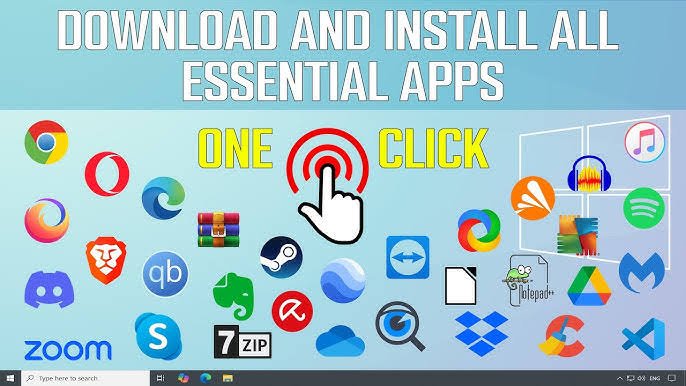

Setting up a new computer or reinstalling Windows often requires downloading several essential software tools such as browsers, media players, antivirus programs, and productivity apps. Doing this manually can be time-consuming, especially when each software must be downloaded and installed separately. To save time and effort, many users prefer using a one-click solution that installs all important PC software automatically. These tools simplify the process by grouping essential applications in one place and installing them without manual steps. In this article, we will explore what these one-click software installation solutions are, how they work, their features, pros and cons, alternatives, and finally provide a clear verdict.
What are Download and Install All Important PC Softwares in Just One Click?
One-click PC software installers are platforms or tools that allow users to download and install multiple essential PC applications at once. Instead of visiting individual websites to download browsers, utilities, media players, or productivity apps, users can select everything they need from one interface. These tools automatically handle downloading, installation, updates, and configuration, saving users a lot of time.
Popular examples include:
Tools like Ninite-style platforms
Custom software bundles offered by tech support websites
Automated installers created for Windows optimization
These solutions ensure quick installation, prevent unwanted bundled software, and maintain clean system performance.
How Download and Install All Important PC Softwares in Just One Click Works
These tools follow a simple but effective mechanism to automate multiple installations:
1. Software Selection
Users choose the list of apps they want—such as web browsers, video players, antivirus tools, zip extractors, and office apps.
2. Automatic Download
The installer fetches the latest versions of all selected applications directly from official sources.
3. Silent Installation
The apps are installed quietly in the background without repeatedly clicking Next, Agree, or Install.
4. No Unwanted Programs
The installer prevents bloatware, ads, or toolbars from being added to your PC.
5. Updates and Maintenance
Some one-click tools also update outdated applications, reducing security risks and improving performance.
Overall, the process ensures that users get a fully prepared PC in just a few minutes.
Features of Download and Install All Important PC Softwares in Just One Click (Completely Detailing)
1. Automated Bulk Installation
Install several important apps like Chrome, VLC, WinRAR, and antivirus software without manual input.
2. Secure and Virus-Free Downloads
Tools download software from official websites to ensure safety and reliability.
3. Lightweight and Fast
These installers are small, run fast, and complete the entire installation process within minutes.
4. No Bloatware or Ads
Unlike manual downloads, these tools ensure clean installations with no unwanted toolbars or ads.
5. User-Friendly Interface
Even beginners can select apps easily through a simple and clean interface.
6. Auto-Update Support
Some advanced installers automatically check for outdated apps and update them.
7. Offline Installation Options
Certain tools provide offline bundles so users can install software even without internet access.
8. Customizable Software Lists
Users can choose the exact apps they want and ignore unnecessary ones.
9. Time and Effort Saving
The entire PC setup becomes faster, especially helpful after reinstalling Windows.
Pros of Download and Install All Important PC Softwares in Just One Click
| Feature | Pros |
|---|---|
| Time Saving | Installs multiple apps within minutes |
| User Friendly | Simple interface suitable for beginners |
| Safe Downloads | Fetches updates from trusted sources |
| Automation | Silent installations without pop-ups |
| Clean Installation | No unwanted ads or bundled programs |
Cons of Download and Install All Important PC Softwares in Just One Click
| Issue | Cons |
|---|---|
| Limited Customization | Some tools may not support all software types |
| Internet Required | Most tools need stable internet for downloads |
| Software Availability | Not all apps may be included in the installer |
| Slow on Weak PCs | Bulk installation may slow down low-spec systems |
Alternatives to Download and Install All Important PC Softwares in Just One Click
| Alternative Type | Example Tools |
|---|---|
| Manual Installation | Downloading each app from official websites |
| Windows Store Apps | Microsoft Store applications |
| Portable Apps Suites | PortableApps.com bundles |
| Custom IT Scripts | PowerShell scripts for automated installations |
Conclusion and Verdict – Download and Install All Important PC Softwares in Just One Click
Using a one-click installer to download and install all important PC software is one of the easiest and most efficient ways to set up a new computer. It helps save time, ensures security, and avoids the frustration of visiting multiple websites. These tools are especially useful for beginners, students, office workers, and anyone who frequently reinstalls Windows.
Get Now
While there are a few limitations—such as limited app availability and the need for internet—the overall convenience makes these installers extremely valuable. If you want a fast, clean, and hassle-free PC setup, using a one-click software installation tool is highly recommended.