
In today’s digital world, smartphones are more than just communication tools they are personal storage hubs for sensitive data, photos, passwords, and financial information. Protecting this data from unauthorized access has become essential. This is where unique lock apps come into play. These applications provide advanced security features that go beyond traditional PINs and patterns, offering innovative ways to lock and secure your device. Whether through fingerprint, facial recognition, or pattern customization, unique lock apps enhance both privacy and style. In this article, we’ll explore what unique lock apps are, how they work, their main features, pros and cons, and the best alternatives available.
What are Unique Lock Apps?
Unique lock apps are smartphone applications designed to protect user privacy using advanced and customizable security methods. Unlike standard device locks, these apps offer creative and modern ways to safeguard your phone or selected apps.
For example, a unique lock app might let you:
Lock apps individually (like WhatsApp, Gallery, or Banking Apps).
Use fingerprint, voice recognition, or face unlock as an authentication method.
Create custom patterns or even gesture-based locks.
The main goal of these apps is to combine strong security with personalization, giving users full control over how their phone is protected and accessed.
How are Unique Lock Apps Work
Unique lock apps work by integrating additional security layers into your device. Here’s a breakdown of how they function:
App Locking Mechanism
When a user installs a unique lock app, it requests permission to access and monitor other apps. Once set, it locks chosen apps or files with a preferred authentication method (PIN, fingerprint, pattern, or face recognition).Custom Authentication Setup
Users can create unique unlock methods like gesture locks, knock codes, or time-based patterns that are harder to guess than standard locks.Intruder Detection
Many unique lock apps capture photos or videos of unauthorized access attempts and notify the user immediately.Smart Unlock
Some apps allow automatic unlocking in safe environments (like when connected to home Wi-Fi) and re-locking when the phone leaves the trusted area.Data Encryption
Advanced apps encrypt data, ensuring that even if someone bypasses the lock, they cannot access sensitive files.
In short, unique lock apps work as intelligent protectors, combining convenience with strong digital privacy.
Features of Unique Lock Apps [Completely Detailing]
Multiple Lock Types
Unique lock apps support various methods such as pattern, PIN, fingerprint, face unlock, and gesture locks for better flexibility.App-Specific Locking
Users can lock specific apps like social media, gallery, or messaging apps instead of locking the entire device.Intruder Selfie
If someone tries to access your phone without permission, the app captures a photo using the front camera.Custom Themes and Styles
Users can personalize the lock screen with themes, wallpapers, and animations to match their taste.Stealth Mode
Hides the lock app’s icon or disguises it as another app (like a calculator) to prevent tampering.Smart Unlock Options
Automatically unlocks the device in trusted zones such as your home or when connected to your smartwatch.Vault and File Protection
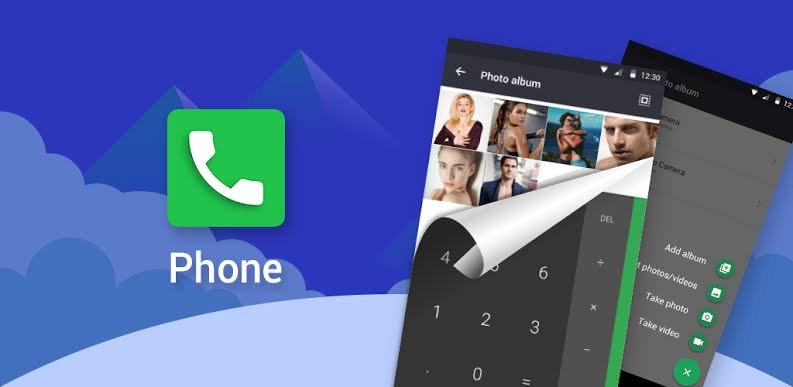
Some apps include a private vault for hiding photos, videos, and important documents securely.Fake Lock Feature
Displays a fake error message or crash screen to fool intruders trying to open locked apps.Battery Optimization
Designed to consume minimal battery while running continuously in the background.User-Friendly Interface
Easy setup and management options make these apps accessible for both beginners and advanced users.
Pros of Unique Lock Apps [Use Table]
| Pros | Description |
|---|---|
| Enhanced Privacy | Protects personal apps and files from unauthorized access. |
| Custom Security Options | Offers multiple locking styles for added flexibility. |
| Intruder Alerts | Captures intruder selfies and sends instant notifications. |
| Stylish Designs | Customizable lock themes and wallpapers. |
| Lightweight & Fast | Works efficiently without slowing down your phone. |
| Free and Premium Choices | Available in both free and paid versions for every user type. |
Cons of Unique Lock Apps [Use Table]
| Cons | Description |
|---|---|
| Battery Consumption | Continuous background monitoring can reduce battery life. |
| Ad Interruptions | Free versions often display ads. |
| Compatibility Issues | Some apps may not work properly on older Android versions. |
| Data Privacy Risks | Poorly rated apps may misuse permissions or data. |
| Premium Features Locked | Advanced tools may require in-app purchases or subscriptions. |
Unique Lock Apps Alternatives [Use Table]
| Alternative | Description |
|---|---|
| AppLock by DoMobile Lab | One of the most popular lock apps with a simple and secure interface. |
| Norton App Lock | Developed by a trusted antivirus company for high-level protection. |
| Smart AppLock | Lightweight app with advanced privacy and stealth features. |
| Fingerprint Lock Apps | Ideal for phones with biometric sensors for quick and secure access. |
| Built-in Android Lock Screen | Default option for users who prefer native security tools without third-party apps. |
Conclusion and Verdict – Unique Lock Apps
Unique lock apps have transformed how users secure their smartphones and data. They offer far more than basic protection, combining innovation, design, and convenience in one solution. From gesture-based unlocking to intruder selfies, these apps ensure privacy with style.
However, users should download only trusted apps from official stores and review permissions carefully to avoid privacy concerns. Despite a few drawbacks, the advantages of unique lock apps far outweigh the cons, making them essential for today’s digital lifestyle.
1 Download
2 Download
Verdict: If you value your privacy and want to protect sensitive data with smart, stylish security options, unique lock apps are an excellent choice. They not only guard your information but also personalize your mobile experience with creative locking methods.