
CONTROL YOUR MOBILE IN VOICE ACCESS APP
Introduction: Take Full Control—Without Touching Your Phone
What if you could operate your entire smartphone without even lifting a finger? No taps, no swipes—just your voice doing all the work. That’s exactly what the voice access app makes possible.
Originally designed to improve accessibility, this powerful tool has become a game-changer for anyone who wants faster, hands-free control of their mobile device. Whether you’re multitasking, driving, or simply want a smarter way to use your phone, Voice Access opens up a whole new level of convenience.
What is Voice Access App?
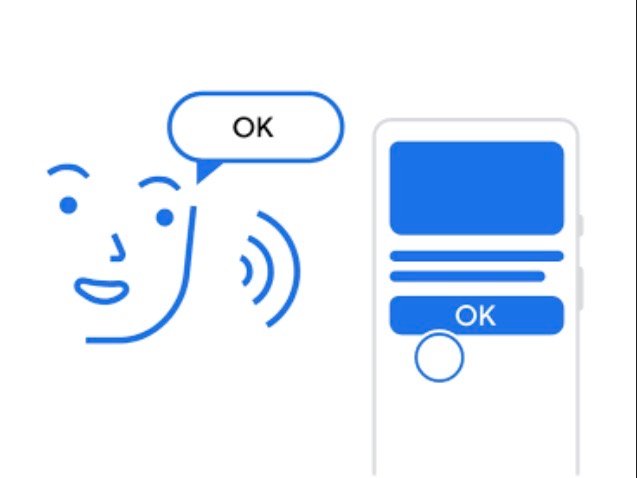
Voice Access is a free Android app developed by Google that allows users to control their phones entirely through voice commands. Unlike basic voice assistants, it provides deep control over your device—letting you navigate apps, type messages, and even tap specific buttons using just your voice.
It works by placing numbered labels on clickable items on your screen, so you can interact with them precisely.
How to Set Up Voice Access on Your Phone
Getting started with Voice Access is simple and takes only a few minutes.
Step-by-Step Setup
- Download the voice access app from the Play Store
- Open Settings on your phone
- Go to Accessibility
- Tap Voice Access
- Turn it ON and grant necessary permissions
Once activated, you’ll see a small floating icon or notification indicating that Voice Access is running.
How to Control Your Mobile Using Voice Access
Basic Navigation Commands
Voice Access allows you to perform everyday actions easily:
- “Open WhatsApp”
- “Go home”
- “Scroll down”
- “Show notifications”
You don’t need to touch your phone at all.
Using Numbered Labels
One of the most powerful features is the numbered overlay system.
When activated, Voice Access assigns numbers to clickable elements on your screen. You simply say the number to interact with that item.
Example:
- If the “Send” button shows number 5, just say: “Tap 5”
This makes navigation incredibly precise and efficient.
Voice Typing Made Smarter
Typing long messages on a small screen can be frustrating—but Voice Access makes it effortless.
How it works:
- Open any messaging or note-taking app
- Say “Start typing”
- Speak your message naturally
Example:
“Hello, I will call you later today”
The app converts your speech into text instantly.
You can also edit text using commands like:
- “Delete last word”
- “Replace hello with hi”
Practical Uses of Voice Access
Multitasking Like a Pro
Cooking, driving, or working? Use your voice to:
- Answer calls
- Reply to messages
- Open apps
Accessibility Support
Voice Access is especially helpful for people with:
- Physical disabilities
- Limited mobility
- Vision challenges
It provides full independence in using a smartphone.
Faster Daily Tasks
Instead of tapping through menus, just say:
- “Open settings”
- “Turn on Wi-Fi”
- “Increase volume”
It saves time and effort.
Tips to Use Voice Access More Effectively
Speak Clearly and Naturally
You don’t need to shout—just speak clearly in your normal tone.
Use Short Commands
Simple phrases work best:
- “Scroll up” instead of long sentences
Practice Common Commands
The more you use it, the faster and more accurate it becomes.
Enable “Always Listening” Mode Carefully
This allows hands-free activation, but it may use more battery.
Benefits of Using Voice Access App
- Hands-Free Control: Operate your phone without touching it
- Improved Accessibility: Ideal for users with physical limitations
- Time-Saving: Faster navigation and typing
- Precision Control: Numbered labels make interactions accurate
Limitations to Consider
While powerful, Voice Access isn’t perfect:
- Requires some learning for advanced commands
- Works best with internet connection
- May struggle in noisy environments
However, with regular use, it becomes highly efficient.
Conclusion: A Smarter Way to Use Your Smartphone
The voice access app is more than just a feature—it’s a complete hands-free solution for controlling your mobile. From opening apps to typing messages and navigating your phone, everything becomes faster and easier with voice commands.
If you’re looking to boost productivity, improve accessibility, or simply experience the future of smartphone control, Voice Access is worth trying.
Your phone is no longer just a device you touch—it’s one you can truly talk to.