
Introduction
Losing important data from your smartphone can be frustrating. Whether it’s precious photos, important contacts, WhatsApp messages, or business documents, unexpected data loss can create serious problems. This is where Dr.Fone comes into the picture.
Dr.Fone has become one of the most popular mobile management and recovery tools available today. Designed for both Android and iPhone users, it offers a wide range of features that help users recover lost data, transfer files, unlock devices, and manage smartphone content efficiently.
In this guide, we’ll explore the key Dr.Fone features and benefits, helping you understand why millions of users rely on this software for their mobile data management needs.
What Is Dr.Fone?
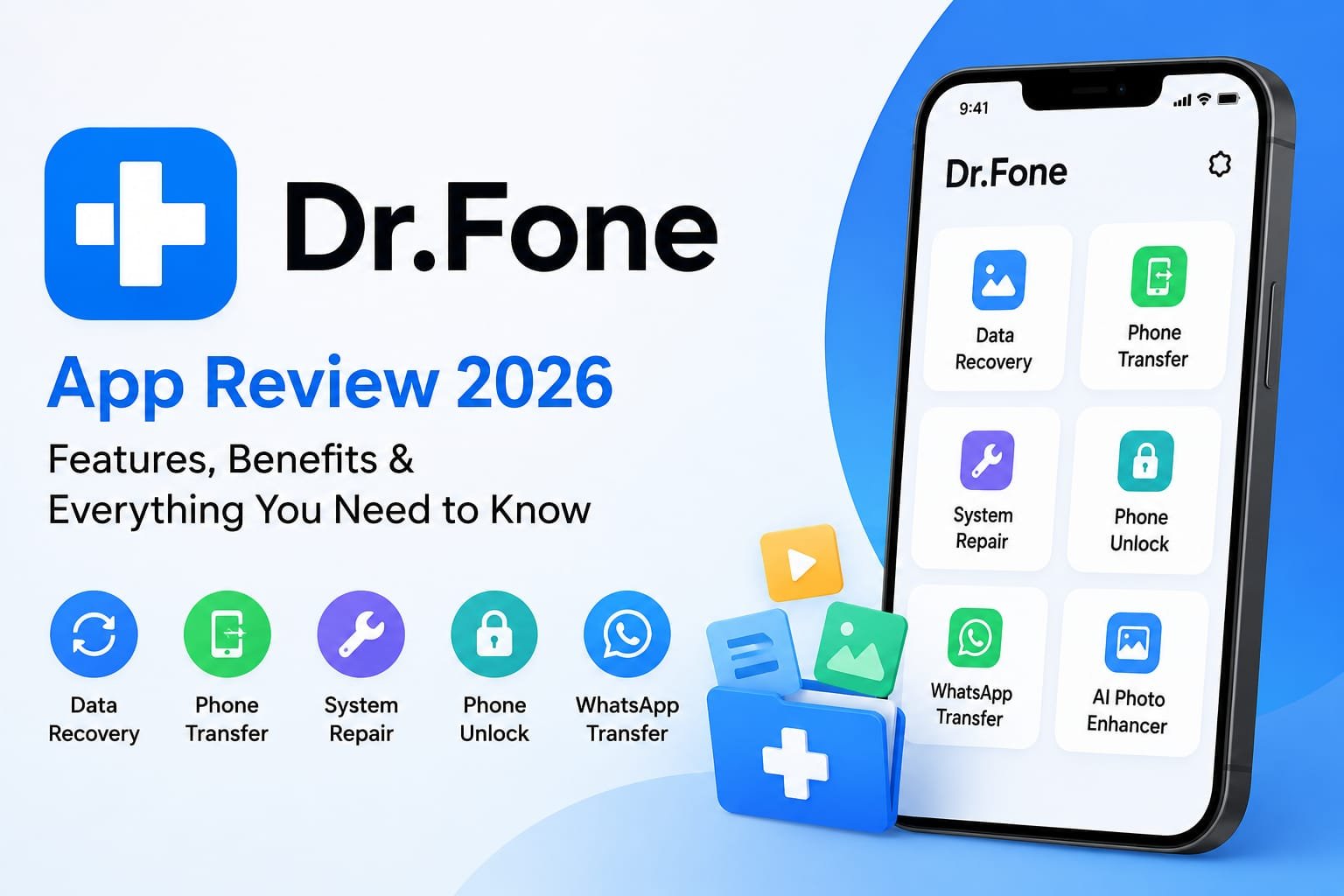
Dr.Fone is a comprehensive mobile device management software developed by Wondershare. It provides solutions for common smartphone issues, including data recovery, phone transfer, screen unlocking, system repair, and backup management.
The software supports both Android and iOS devices, making it a versatile solution for users across different platforms.
Key Dr.Fone Features
1. Data Recovery
One of Dr.Fone’s most popular features is its powerful data recovery capability.
It allows users to recover:
- Deleted photos
- Videos
- Contacts
- Messages
- Call logs
- WhatsApp data
- Documents
Even if data is accidentally deleted or lost due to a system crash, Dr.Fone can often help retrieve it.
2. Phone Transfer
Switching from one phone to another can be time consuming. Dr.Fone simplifies this process through its Phone Transfer feature.
Users can transfer:
- Contacts
- Photos
- Videos
- Messages
- Apps
- Music
This feature supports transfers between Android and iPhone devices, making upgrades much easier.
3. Screen Unlock
Forgot your phone password?
Dr.Fone offers a Screen Unlock feature that helps remove:
- PIN codes
- Passwords
- Fingerprint locks
- Face recognition locks
This can be especially useful when users are locked out of their own devices.
4. WhatsApp Transfer
WhatsApp contains important personal and business conversations. Dr.Fone allows users to:
- Transfer WhatsApp between devices
- Create backups
- Restore chat history
- Export conversations
This feature is highly valuable for users changing phones frequently.
5. System Repair
System issues such as boot loops, frozen screens, and update failures can make smartphones unusable.
Dr.Fone’s System Repair tool can help fix common Android and iOS problems without requiring advanced technical knowledge.
6. Backup and Restore
Regular backups are essential for protecting important information.
Dr.Fone allows users to:
- Create full device backups
- Select specific data categories
- Restore data when needed
- Manage backup files easily
This reduces the risk of permanent data loss.
Major Benefits of Using Dr.Fone
Saves Time
Instead of manually transferring files or searching for complicated recovery solutions, Dr.Fone automates many processes, saving significant time.
User Friendly Interface
The software is designed for beginners and professionals alike. Clear instructions and simple navigation make it accessible to all users.
Supports Multiple Devices
Dr.Fone works with thousands of Android and iOS devices, making it suitable for a wide range of users.
All in One Solution
Rather than purchasing separate software for recovery, transfer, backup, and repair, users can access multiple tools within one platform.
Enhanced Data Security
Dr.Fone helps users maintain secure backups and recover critical information when unexpected problems occur.
Who Should Use Dr.Fone?
Dr.Fone is ideal for:
Business Professionals
Professionals often store important contacts, emails, and files on their phones. Data recovery and backup features provide added security.
Students
Students can recover notes, documents, and educational content that may be accidentally deleted.
Content Creators
Photos, videos, and social media content are valuable assets. Dr.Fone helps protect and recover this data.
Everyday Smartphone Users
Anyone who wants better control over their mobile data can benefit from Dr.Fone’s features.
Tips for Getting the Best Results with Dr.Fone
Backup Regularly
Creating regular backups significantly reduces the risk of permanent data loss.
Stop Using the Device After Data Loss
If files are accidentally deleted, avoid using the device immediately. This increases the chances of successful recovery.
Keep Software Updated
Installing the latest version of Dr.Fone ensures compatibility with new devices and operating systems.
Use Official Downloads
Always download Dr.Fone from the official Wondershare website to ensure safety and access to genuine updates.
Pros and Cons of Dr.Fone
Pros
- Easy to use interface
- Supports Android and iPhone
- Powerful data recovery tools
- Comprehensive backup solutions
- Fast phone to phone transfer
- Multiple tools in one platform
Cons
- Some advanced features require a paid license
- Recovery success may vary depending on data overwrite conditions
- Certain functions have device specific limitations
Conclusion
Dr.Fone has established itself as one of the leading mobile device management solutions available today. Its powerful combination of data recovery, phone transfer, system repair, backup management, and screen unlocking tools makes it a valuable resource for both personal and professional users.
Whether you’re recovering lost files, upgrading to a new smartphone, or safeguarding important information, the extensive Dr.Fone features and benefits make it a practical investment. For users seeking an all in one mobile management solution, Dr.Fone remains a strong and reliable choice.